 Shadow Reader
 Shadow Reader
Every book you own, read or listened to.
Shadow Reader opens EPUB, PDF, comics and office documents from folders you already have, reads them aloud in a voice that follows the words, and keeps your place on every device — through your own cloud, with no account to make.
Free to use, with a one-time Pro unlock. No subscription, no ads, no sign-up.
Opens what you already have
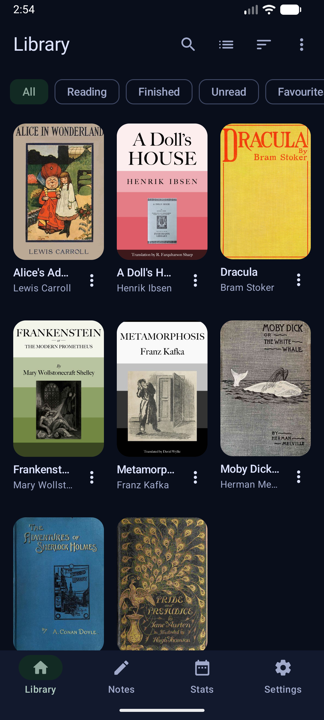
Point it at a folder. Everything in it that is a book becomes one, with the cover, the author and the series pulled out of the file.
A scan with no text layer goes through text recognition first, so search, selection and the voice work on it too. DRM-protected files are detected and named as such — never opened by force.
A page you can actually set up
Typography that is yours, not a preset with two sliders.
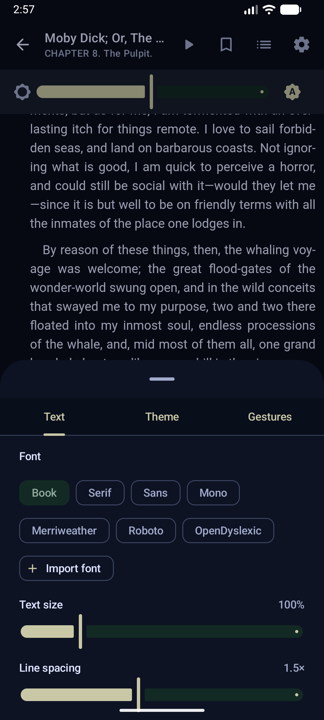
- Book, serif, sans, mono, Merriweather, Roboto and OpenDyslexic — or import a font of your own.
- Text size, line spacing, margins, alignment and hyphenation.
- Light, dark, sepia and e-ink themes, with page colours you can set yourself.
- A brightness slider that belongs to the reader and hands the screen back to the system when you leave.
- Tap zones and gestures you can remap, and an auto-scroll for when you would rather not touch the screen.
- Contents, search, bookmarks and notes in one sheet, a tap away from the page.
Read aloud, and it keeps the place
Playback is free for everybody — background, screen off, headphones, sleep timer and all.
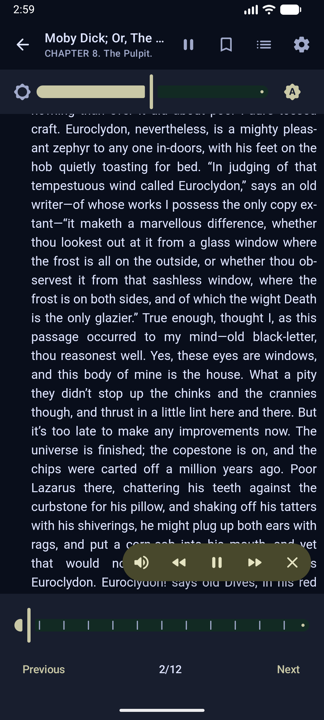
- The sentence being spoken is highlighted, and the page follows the voice.
- Carries on with the screen off, with a media notification and headset controls.
- Sleep timer, speed, pitch and a per-book voice.
- A pronunciation list, for the names every engine gets wrong.
- A cast of voices — one for the narrator, another for the dialogue, and a named voice for up to twelve characters. Pro
Marks that leave with you
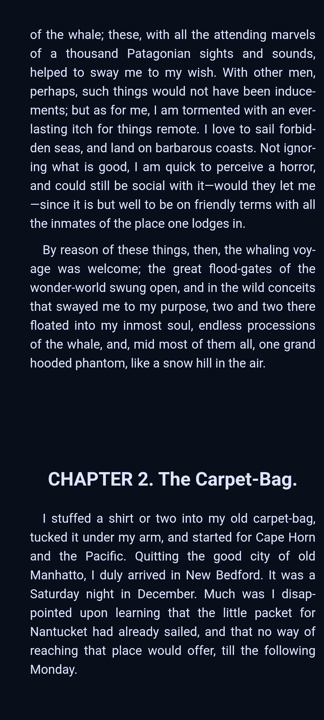
Highlight, underline, annotate, look up, translate — then take the lot out in one file.
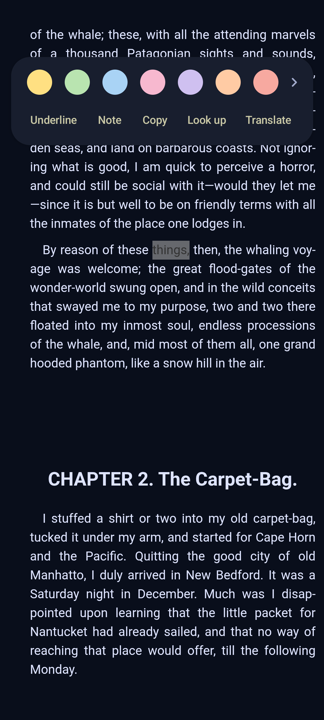
- Seven highlight colours, underline, and a note attached to any passage.
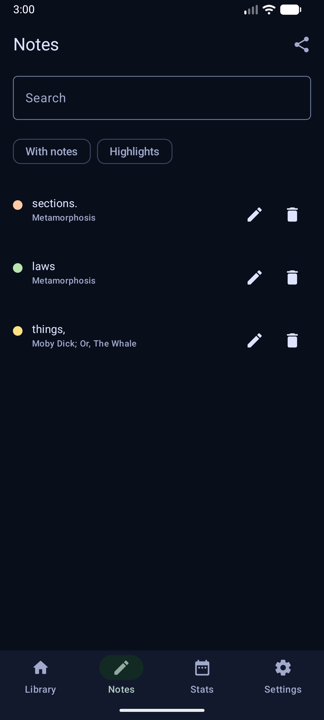
- Bookmarks, and a hub that gathers every mark across every book.
- Search your own notes, filter to highlights, jump back to the page.
- Export everything — free, on every plan, because losing your notes to an app is the whole fear.
- Translate a passage on the device itself, with nothing sent anywhere. Pro
A library that keeps itself
Watched folders, indexed in place. Nothing is copied unless you ask for it.
Shelves and search
Collections, tags, series, favourites and archive, plus smart shelves for reading now, finished, unread and recently added.
Nothing disappears quietly
Files that could not be imported are listed with the reason — not a format we read, DRM, unreadable, damaged — instead of vanishing from the count.
Catalogues
OPDS 1.2 and 2.0: browse, search and download straight into the library from any catalogue you point it at.
Cloud storage Pro
Open books straight out of Google Drive, OneDrive, Box or your own WebDAV server. Read-only: Shadow Reader cannot change, rename or delete anything in your cloud.
Sync Pro
Positions, highlights and notes across your devices — through your own Drive, WebDAV or a folder you choose. No account of ours, and no server of ours.
Reading stats
Time read and time listened, per book and per day, with a thirty-day chart, a streak and a daily goal if you want one.
Inside the app
Screens straight off a phone.
Your books are your business
No account, no library of ours, and no copy of what you read.
Books stay put
Nothing you read is uploaded. A book only ever moves if you switch on sync or open it from your own cloud — and even then it goes to your storage, never to us.
No sign-up, ever
There is no Shadow Reader account. Sync rides on a folder in your own Drive or WebDAV server, which we hold no keys to and cannot read.
Reports you control
Crash reports are on so a crash can be fixed. Usage statistics start off in the EEA, the UK and Switzerland, and on elsewhere. Both live in Settings › Privacy, and neither carries a book title, a file path or a passage.
The whole account is in the privacy policy.
Free, and what Pro adds
One payment, once — no subscription, nothing to renew, and no licence check to fail on a plane.
Free
The whole reader
- Every format, every book, no cap
- Read aloud with the screen off, sleep timer and media controls
- Highlights, notes, bookmarks — and exporting them
- Fonts, margins, colours, e-ink mode, gestures, reading limits
- OPDS catalogues, reading stats and manual backup
No ads. Nothing here is a trial.
Shadow Reader Pro
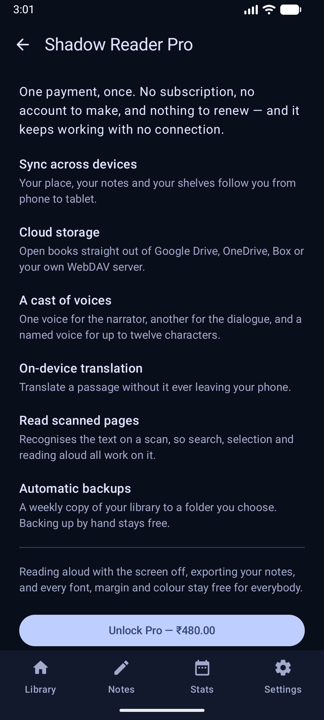
One payment through Google Play
- Sync across devices — your place, notes and shelves
- Cloud storage: Google Drive, OneDrive, Box, WebDAV
- A cast of voices, up to twelve named characters
- On-device translation
- Text recognition on scanned pages
- Weekly automatic backups
Bought once, restored on your next phone, and it keeps working with no connection at all.
Questions
Does it need access to all my files?
No. Shadow Reader uses Android's own folder picker, so it can read the folders you hand it and nothing else. It never asks for all-files access.
Can it open DRM-protected books?
No, and it does not try. A file with Kindle or Adobe DRM is recognised and named as such, so you know why it will not open rather than being told the file is broken.
How does sync work without an account?
It writes to a folder only the app can see in your own Google Drive, or to a WebDAV server or local folder you choose. Your devices read each other's changes from there. There is no server of ours in the path, and nothing of yours to sign into.
Is read-aloud a paid feature?
No. Playback — background, screen off, media notification, sleep timer, speed and voice — is free for everybody. Pro adds the cast: a separate voice for the narrator, the dialogue and up to twelve named characters.
Is Pro a subscription?
No — a single payment through Google Play, bought once. There is no online licence check, so it keeps working offline, after a reinstall and on your next phone.
Is there an iPhone version?
Not today. Shadow Reader is Android only.
Point it at a folder and start.
Your books, your place in them, and a voice to carry on when you cannot look at the page.