 Ruk
Ruk Pause before you open.
You did not decide to open that app. Your thumb did. Ruk puts a few deliberate seconds between the impulse and the feed — and most of the time, that is enough to notice you did not want it after all.
Free to use. No account, no sign-up, no ads. Ruk (رُک / रुक) means “stop, pause”.
The pause
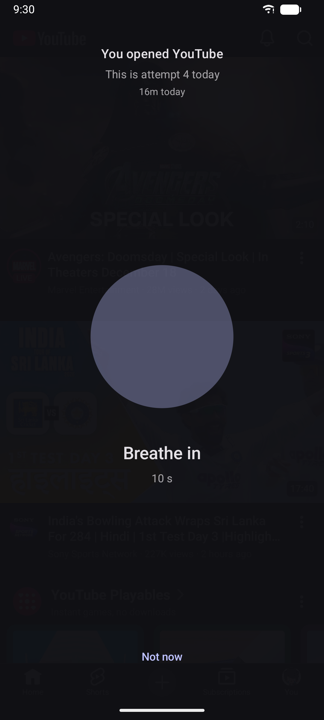
Choose the apps that take your day. When one of them opens, Ruk gets there first.
- 1A breath, and a countdown.The screen holds while you catch up with your own hand.
- 2Say what you came for.Typing the reason is often the moment you realise there isn’t one.
- 3Continue, or not now.Nothing is hidden from you and nothing is decided for you.
- 4It gets harder if you keep going.The tenth open of the day is not the first. Pauses grow as the day repeats itself, and the screen tells you exactly why this one is longer.
- 5Continue can buy a timebox.Ten minutes instead of an open door — and when the box runs out, Ruk asks how it went.
When a pause is not enough
Friction you can dial up, one rule at a time.
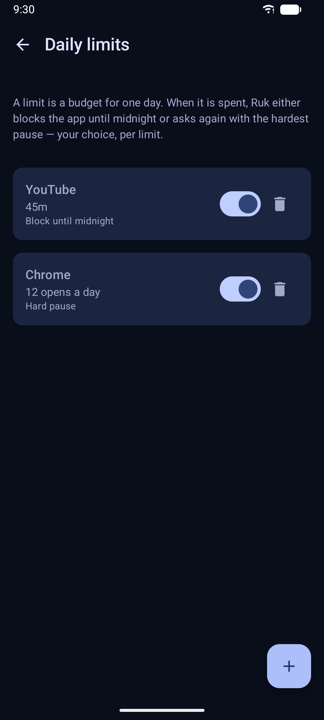
Daily limits
Screen time limits per app or across a group, with a warning before you run out. Then block, or ask again harder.
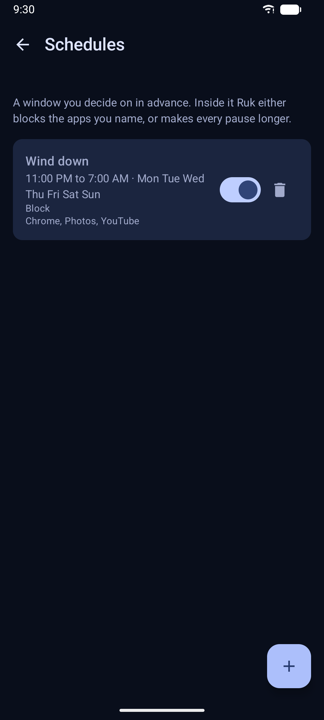
Schedules
A window where an app simply does not open — including one that crosses midnight. Set it once, decide nothing in the moment.
Focus sessions
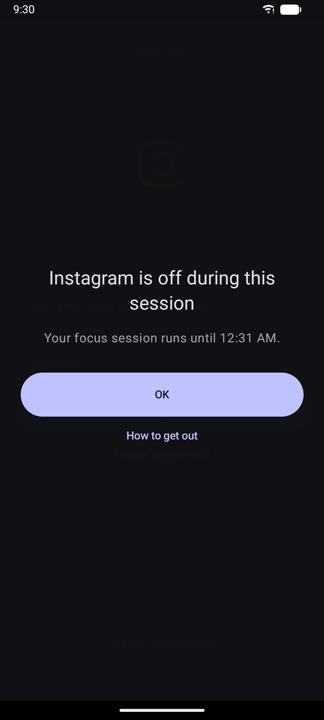
Start from the app, a Quick Settings tile or a home screen widget, with an allow list for what you actually need.
Feed blocking Experimental
Stops Reels, Shorts, Explore, Stories and a home feed without closing the app they live in, so your messages and search still work. Six feeds, each tested on a real phone — and if an app update stops one being recognised, Ruk says so instead of pretending.
Strict mode
For the days you cannot be trusted with your own settings. Weakening a rule can be made to wait — it can never be made impossible.
Attention budget
A daily allowance for the whole habit, not one app. Days under budget build a streak that forgives one bad day for every seven good ones.
What it tells you afterwards
Your real screen time, from Android’s own figures — not a guess, and not a leaderboard.
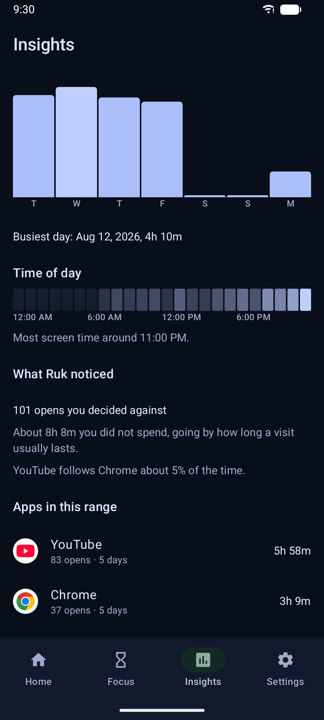
- Screen time per app and per hour of the day.
- How many opens you abandoned, and roughly what that saved you.
- Which app you always open next, once the first one has you.
- Days under budget, and a streak with a little forgiveness built in.
- Export the lot to a file you choose, any time.
Inside the app
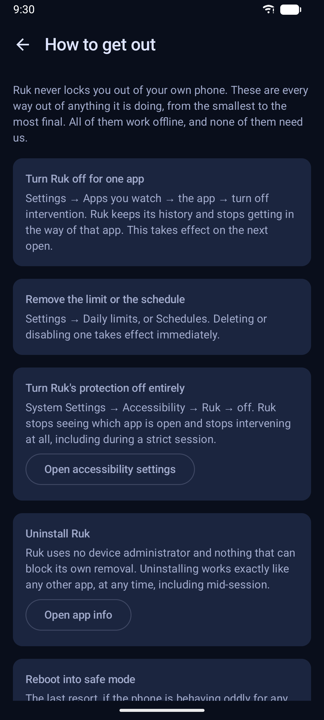
Six screens, straight off a phone.
What it never does
Ruk sends nothing anywhere. No server behind it, no analytics, no crash reporting.
Nothing leaves the phone
Everything Ruk records — usage totals, the pause log, your settings — stays in this phone’s own storage. Uninstalling takes all of it with you.
No account, no ads
No sign-up, no sync, no profile, no ads. Nothing to log into and nothing to leak.
You are never trapped
Every restriction has a documented way out, and a screen inside the app lists them all. Ruk never uses device admin, never hides itself, and can always be uninstalled. Every escape is free on every plan.
Full details in the privacy policy.
Free, and what Pro adds
Set anything up before you buy — it is kept exactly as you left it, and unlocking turns it on with nothing to redo.
Free
No account, no trial, no card
- Three monitored apps with the breathing pause
- The full screen time insights
- Your streak and data export
- Every escape, and every way out
Everything here stays free, forever.
Ruk Pro
One payment · never a subscription
- Unlimited monitored apps
- Every other kind of pause
- Daily limits and schedules
- Focus sessions
- Feed blocking (experimental)
- The attention budget and strict mode
Bought once through Google Play. Refund it and your rules are switched off, not deleted.
Questions
Does Ruk need Accessibility access?
The pause does, because that is what lets Ruk notice an app opening and get there first. If you would rather not grant it, Ruk still works in observe-only mode: it reads Android’s own usage figures and shows you the insights, without interrupting anything.
Can I get out of a block?
Always. Every restriction has a documented way out and a screen inside the app lists them all. Strict mode can make weakening a setting wait — it can never make it impossible. Ruk never uses device admin, never hides itself, and can always be uninstalled.
What does feed blocking actually block?
Six feed surfaces — Reels, Explore and Stories, Shorts, a home feed and a Stories tray — each one tested on a real phone. It leaves the app itself open, so messages and search still work. It is labelled experimental in the app because a feed is somebody else’s screen and they change it whenever they like; when Ruk stops recognising one, it tells you instead of pretending.
Is my data sent anywhere?
No. Ruk opens no connection of its own and sends nothing. There is no server, no analytics and no crash reporting, and everything it records lives in this phone’s app-private storage.
Is Pro a subscription?
No — one payment through Google Play, once. Anything you configure before buying is kept, and unlocking turns it on with nothing to set up again.
Is there an iPhone version?
Not today. Ruk is Android only.
A few seconds, before the feed.
Choose the apps that take your day, and let Ruk get there first.